

Buy Me a Coffee is a platform designed for content creators who want to monetize their work simply and build a direct relationship with their audience.
Instead of complex subscriptions or technical e-commerce solutions, Buy Me a Coffee offers a fast and accessible way to earn money online.
The platform is particularly popular among bloggers, designers, developers, educators, and anyone working in the digital content space.
What is Buy Me a Coffee?
Buy Me a Coffee is a content creator platform that enables creators to receive one-time payments, sell digital products, and create memberships. The concept is simple – an audience can support a creator with a small symbolic payment, much like buying them a coffee.
Unlike traditional donation platforms, Buy Me a Coffee places the emphasis on simplicity, speed, and minimal technical complexity.
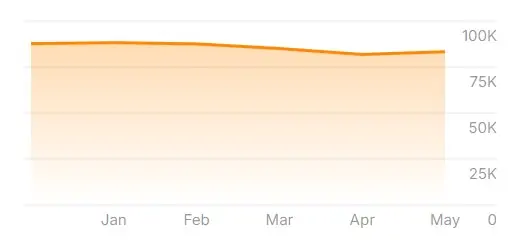
The platform launched in 2018 and is now used by millions of creators worldwide.
Why is Buy Me a Coffee So Popular Among Creators?
One of the main reasons for the platform’s popularity is its ease of use and flexibility in monetization.
Key advantages:
- Simple content monetization
- No mandatory monthly fees for creators
- Low commission compared to competing platforms
- Full control over your own content
- Suitable for both beginners and experienced professionals
Buy Me a Coffee is an ideal solution for anyone looking for alternative ways to make money online – whether through a blog, social media, podcast, or YouTube channel.
Perfect for Creators Without a Website
This is worth highlighting: Buy Me a Coffee is an excellent tool for everyone who is active on social media but does not yet have their own website.
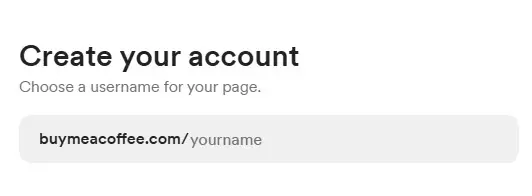
Instagram, TikTok, Facebook, and many other platforms do not offer a native way for creators to receive donations from their followers. Buy Me a Coffee fills that gap. Simply create a profile, get your own link (e.g. buymeacoffee.com/yourname) and share it in your bio, story, or posts.
If you have:
- An Instagram profile with useful content
- A TikTok channel with tutorials, recipes, or tips
- A Facebook group with educational content
- A YouTube channel that has not yet reached monetization requirements
…then Buy Me a Coffee is for you. No website, no technical knowledge, no setup fees required.
How to Sign Up for Buy Me a Coffee (Step by Step)
Signing up is quick and requires no technical knowledge.
Registration steps:
- Visit the official Buy Me a Coffee website
- Register using your email address or Google account
- Choose a username (this will be your profile URL)
- Edit your basic information and work description
- Connect Stripe for payouts
After registration, a verification code will be sent to your email address – this is a form of two-step security to protect your account.
Your profile is immediately ready to use.
What Can You Post on Buy Me a Coffee?
Buy Me a Coffee is not just a donation tool – it is a complete creator platform with its own content publishing system that works similarly to a blog or newsletter.
Publishing options:
- Text posts and blog articles
- Images and video content
- Digital products (PDFs, guides, templates)
- Exclusive content for members
- Monthly memberships
This variety enables creative and long-term content monetization.
Types of posts you can create:
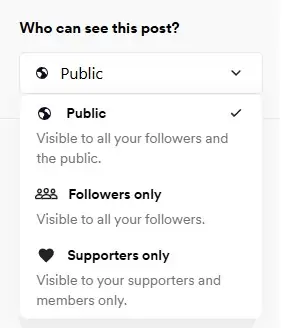
- Public posts – visible to everyone, free of charge
- Exclusive posts for subscribers – visible only to those who regularly support you (subscription model)
- Supporter-only posts – visible only to those who have made a financial contribution

How to publish a post:
- Log in to your BMC profile
- In the dashboard, click “Post” or “New post”
- By pressing “Create a new post”, you can choose between a text post, photo album, audio recording, or poll

After writing your post, you can preview it, save it as a draft, or publish it immediately.
Regular posts build a habit among followers of returning to your profile, which increases the likelihood of receiving a donation.
How to Set Up a Digital Product for Sale
The shop on the platform may not be the largest or most visually impressive, but it fully serves its purpose.
Start by navigating to Shop > Products. Here you have the following options:
- Digital product
- Physical product
- Event ticket
- One-on-one Zoom call
- Close Friends access (Instagram)
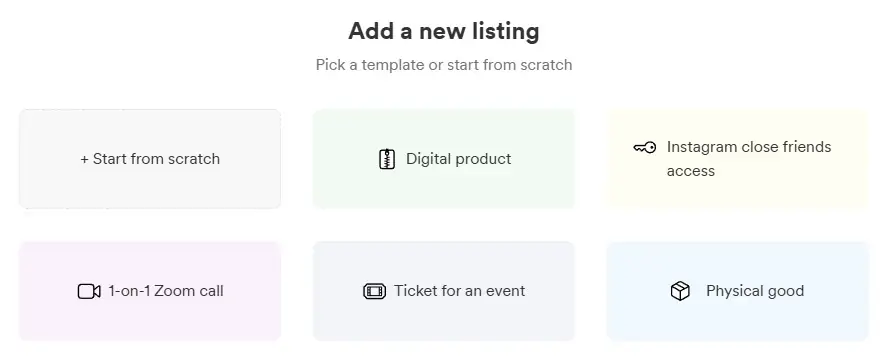
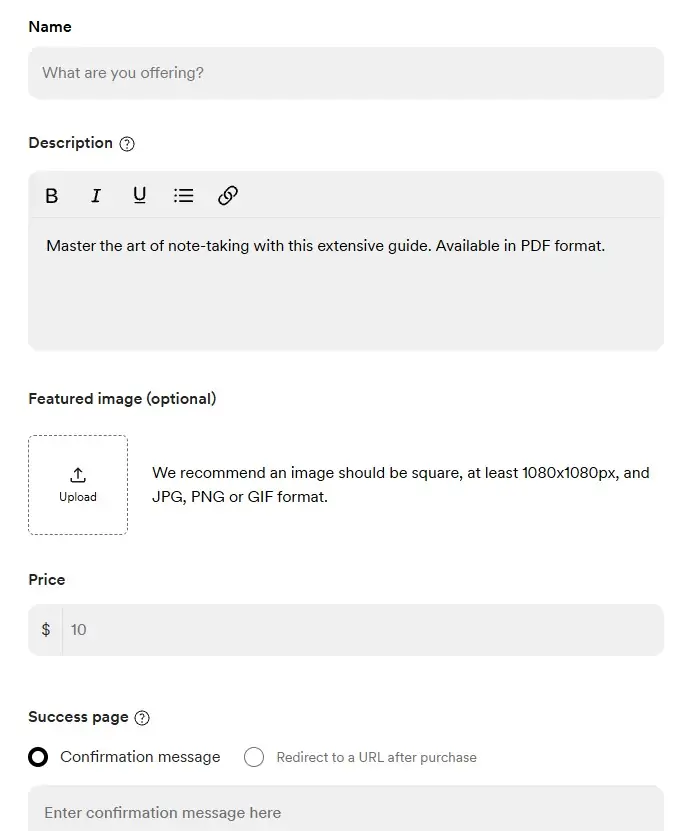
Select Digital product and fill in the following fields:
- Name – product name
- Description – brief description
- Featured image – 1080×1080 px, JPG, PNG, or GIF format
- Price – set your desired price
Then complete:
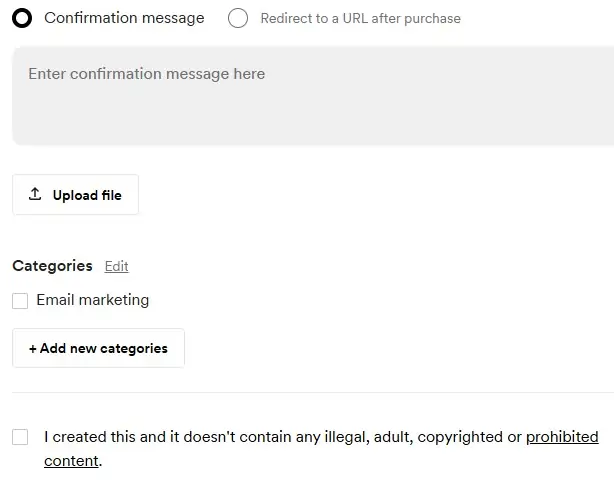
- Confirmation message – a thank-you note sent to the buyer
- Upload file – your digital product in PDF format
- Categories – the category your product belongs to
- Confirm that the product does not contain any unlawful content
Profile Settings
The main profile settings only need to be configured once and rarely need to be changed afterwards.
Here you can define:
- Main currency: USD, AUD, CAD, EUR, GBP, or NZD
- Credit card fees: If disabled, your supporters will cover the credit card processing fee
- Whether the content is intended for adults
- Google Analytics ID – to track visits and sales
- Profile link – can be changed here if needed
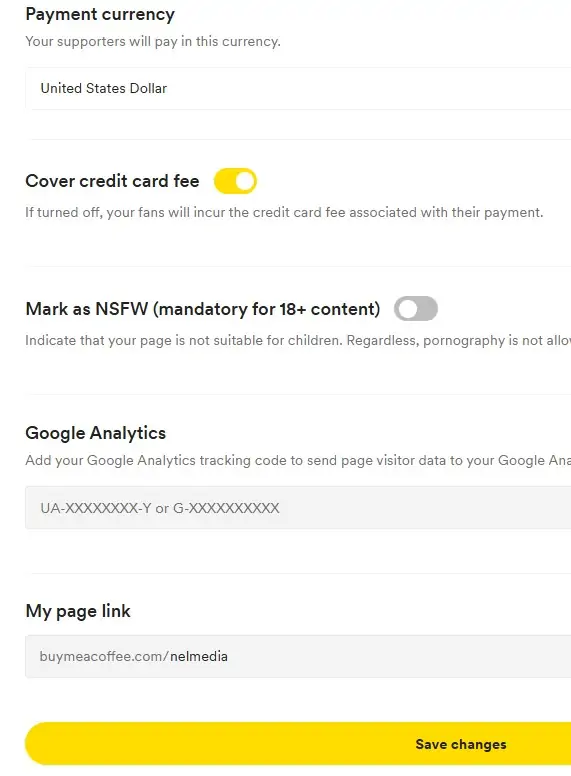
It is strongly recommended to add your Google Analytics tracking ID so you can monitor traffic and conversions on your Buy Me a Coffee page.
How Does the Membership (Subscription) Work?
In addition to one-time donations, Buy Me a Coffee also offers a Membership option – a recurring monthly subscription.
- You set the membership price yourself (e.g. $3, $5, or $10/month)
- Members can receive exclusive content, early access, special discounts, or direct communication with you
- This is an excellent foundation for long-term passive income
How to Implement a Call to Action – Where and How to Share Your Link
For donations to arrive, you need to direct people to your Buy Me a Coffee page. Simply copy the link from your profile and share it.
Add a text link within your posts or content with a call to action such as: “If you found this content helpful, you can support us here:”
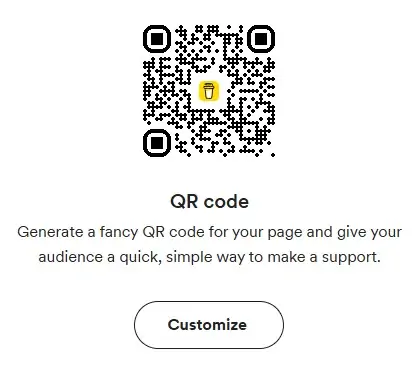
Instead of a plain link, you can also generate a QR code which can be inserted into posts, articles, or videos.
On social media
- Instagram bio: Add the link directly in your bio or via Linktree/Beacons
- TikTok bio: Same approach – one link leading to your BMC page
- YouTube: Add the link and a note in every video description (especially useful for channels not yet monetized)
- Facebook: Add the link to your page or group description
- Newsletter / email list: Add a short call to action with the link at the bottom of every email
On your website (if you have one)
Generate a button with custom text that can be embedded on your website. Customize its appearance in the editor (color, label text) and press Generate button.
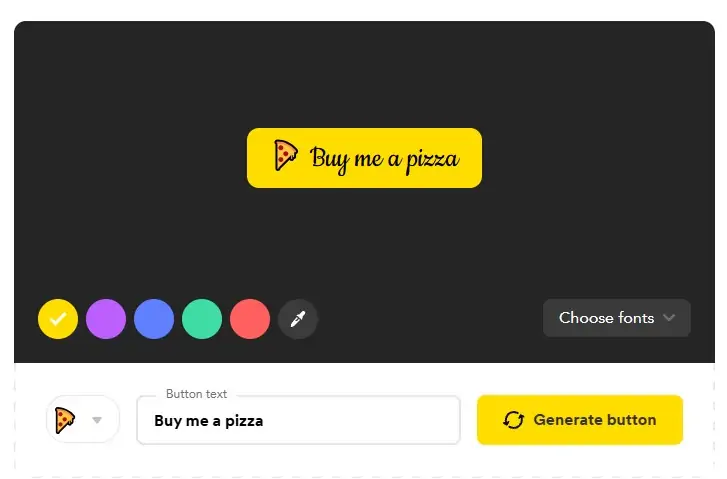
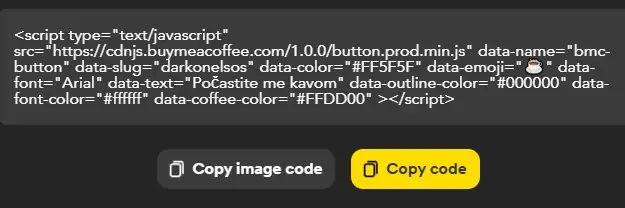
The generated code can then be copied and pasted into your website footer, sidebar, or within individual articles.
Using WordPress? There is a dedicated Buy Me a Coffee WordPress plugin that makes integration even simpler.
Connecting with Other Networks and Platforms
BMC supports integration with X (Twitter) and Discord to help expand your reach. WordPress was already mentioned as an option.
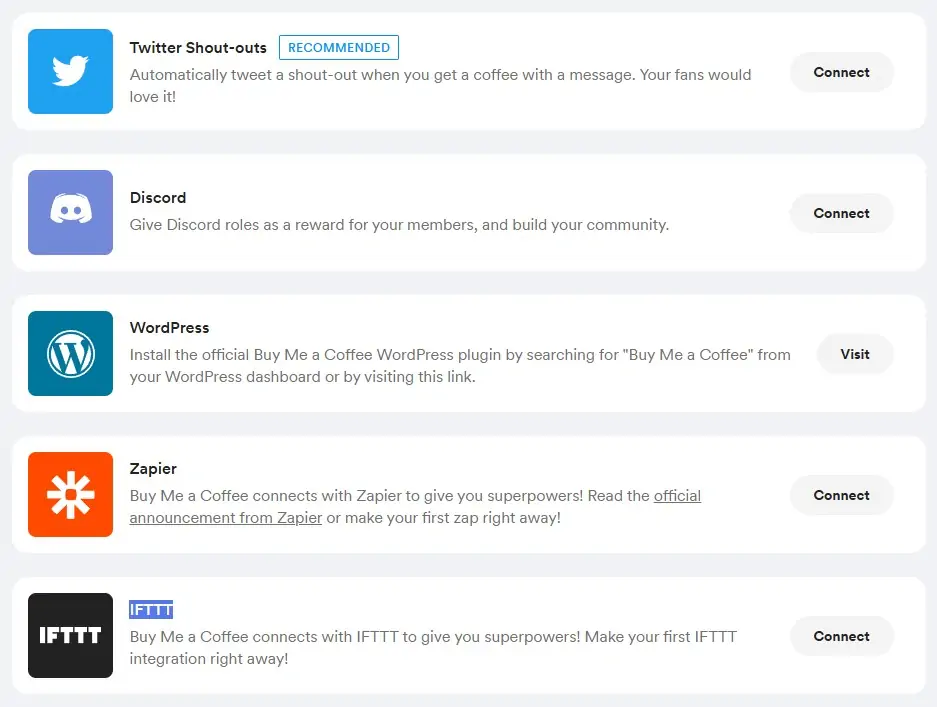
There are also two AI automation platforms available: IFTTT and Zapier, which allow you to automate content publishing workflows across multiple platforms.
How and When Do You Get Paid?
Payout methods
Buy Me a Coffee processes payouts via Stripe directly to your bank account. Availability depends on your country – check the official Stripe website for the current list of supported regions.
When is payment processed?
- You can request a payout at any time – there are no fixed payout dates
- Funds arrive on Stripe immediately or within 1–3 business days, depending on the method
Platform fees
- Buy Me a Coffee retains a 5% commission on each donation
- Stripe charges its own transaction fees (typically around 2.9% + a fixed fee)
Overall, you will keep approximately 90–92% of every donation – significantly more than on many competing platforms.
Buy Me a Coffee vs. Patreon – Quick Comparison
| Buy Me a Coffee | Patreon | |
|---|---|---|
| Platform commission | 5% | 8–12% |
| One-time donations | ✅ Yes | ✅ Yes |
| Membership / subscription | ✅ Yes | ✅ Yes |
| Setup difficulty | Very simple | Somewhat complex |
| Exclusive content | ✅ Yes | ✅ Yes |
| Ideal for beginners | ✅ Yes | Moderate |
Tips for Increasing Donations
- Be transparent – tell your followers exactly what the collected funds will be used for (equipment, hosting, more content, etc.)
- Remind your audience regularly about your BMC page – once a week in a story or post is enough
- Thank donors publicly (with their permission) – this builds community and encourages others
- Offer something in return – an exclusive PDF, access to a private group, or early access to new content
- Set goals – BMC has a “Goal” feature where you can show what you are working toward (e.g. “New microphone – $50/$150”)
FAQ – Frequently Asked Questions

Get the latest news!
Useful tips directly to your inbox – once a week, free of charge.
Conclusion
Buy Me a Coffee is a simple, flexible, and modern platform that enables creators to monetize their work without any technical barriers. Thanks to its ease of use, diverse publishing options, and transparent payouts, it is an excellent choice for anyone working in digital content who is looking for an effective way to earn money online.
For creators who want to maintain full control over their content and connect directly with their audience, this platform is well worth considering.