
NELMEDIA
Advanced YouTube Earnings Calculator (with Shorts & Sponsorships)
This YouTube earnings calculator estimates what a US-focused channel can make from more than ads.
Basic tools only multiply views by one CPM.
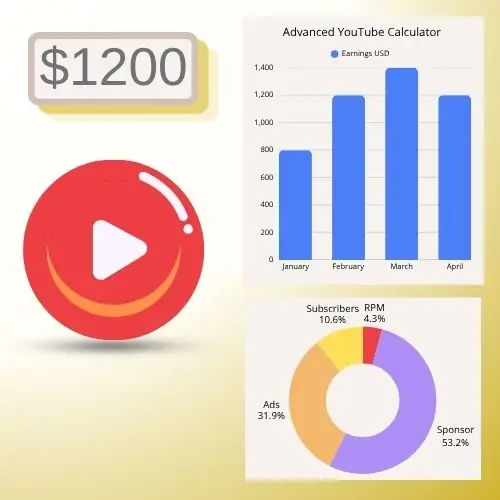
This one adjusts RPM by niche and the share of US viewers, splits Long-form and Shorts, then adds memberships, Super Thanks, affiliates and sponsorships.
Use it to answer how much does YouTube pay for your mix of content, not for a generic global average.
Pick a scenario, enter monthly views and see a conservative, base or optimistic payout plus how many views you need for your income goal.
Advanced YouTube Earnings Calculator (US)
Estimates ad RPM by niche and US audience share, then adds Shorts, memberships, Super Thanks, affiliates and sponsorships. Shows conservative / base / optimistic payout and views needed for your income goal.
YouTube keeps about 45% of ads. Memberships and Super features also have a platform cut. Figures are estimates, not AdSense payouts.
How Does the YouTube Money Calculator Estimate Your Earnings?
Predicting your revenue as a content creator can be confusing because Google doesn’t pay a flat rate per view.
This advanced YouTube money calculator helps you estimate your potential income by analyzing the exact metrics that advertisers use to price ads.
To get the most accurate estimate, our tool looks at three main factors: views, niche, and audience location.
Understanding RPM: The Ultimate Creator Metric
When looking at a YouTube earnings calculator, the most important metric you need to know is RPM (Revenue Per Mille).
This metric shows exactly how much money you earn per 1,000 views after YouTube takes its 45% platform cut, according to the Official YouTube Partner Program Overview.
Your RPM is highly dependent on your channel’s niche. For example, channels covering Finance, Tech, Real Estate, or Business Software usually enjoy high RPMs ($10 to $30+) because advertisers are willing to pay a premium to reach buyers.
On the other hand, lifestyle vlogs, gaming channels, and comedy skits often have lower RPMs ($1 to $4) because the audience intent is purely entertainment.
How Location Impacts Your Income
Where your viewers live matters more than how many views you get.
If you are trying to figure out how much does YouTube pay for 1 million views, the answer depends heavily on geography.
Views from Tier 1 countries (like the United States, United Kingdom, Canada, and Australia) have massive advertiser budgets behind them.
Getting 100,000 views from the US can easily generate more income than getting 1,000,000 views from developing regions where digital ad spend is much lower.
YouTube Shorts vs. Long-Form Video Earnings
With the rise of short-form content, many creators wonder how monetization differs between standard videos and Shorts.
The reality is that the payment structures, and the YouTube Shorts RPM-are vastly different.
| Feature | YouTube Shorts | Long-Form Videos |
|---|---|---|
| Average RPM Range | $0.01 – $0.06 (per 1,000 views) | $2.00 – $12.00+ (per 1,000 views) |
| Monetization Model | Creator Music Pool & Shorts Ad Split | Traditional Google AdSense (55% to Creator) |
| Mid-Roll Ads | No (Ads run between videos in feed) | Yes (On videos longer than 8 minutes) |
| Best For | Viral growth and fast subscriber acquisition | High, sustainable passive income |
Because the YouTube Shorts RPM is significantly lower, creators who rely purely on Shorts need tens of millions of views monthly to match the income of a standard long-form video channel.
Beyond AdSense: Working with Brand Sponsors
As your channel grows, AdSense will likely become just a small portion of your total income. Brand deals and sponsorships are where full-time creators make the majority of their money.
Our tool features a built-in YouTube sponsor rates calculator function. Generally, brands pay creators based on a flat CPM rate (Cost Per Mille) tied to your average expected views per video, rather than your total subscriber count.
Standard industry sponsor rates average between $20 to $45 per 1,000 views. This means if your videos consistently average 10,000 views within the first month of release, a brand might pay you anywhere from $200 to $450 per video integration.
3 Proven Ways to Increase Your YouTube Revenue
If the numbers you simulated in our calculator are lower than you hoped, don’t worry. You can actively optimize your channel to boost your revenue without needing millions of new subscribers:
- Target Tier 1 Search Intent: Even if you do not live in the US or UK, creating your videos in English and optimizing your SEO titles for global audiences will naturally attract higher-paying viewers.
- Create Longer Videos: Ensure your core content runs over 8 minutes long. This unlocks the ability to manually place mid-roll ads, which instantly multiplies your standard AdSense earnings.
- Diversify into Affiliate Marketing: Do not let your description space go to waste. Drop optimized affiliate links to tools, gear, or software you recommend to monetize viewers who ad-blockers might otherwise hide.
Ready to turn these calculations into a real business? Read our complete, step-by-step beginner’s guide on How to Start a YouTube Channel and launch your creator journey today!
YouTube earnings calculator: FAQ

Get the latest news!
Useful tips directly to your inbox – once a week, free of charge.
Conclusion
If you are building a channel to make money, stop using a single CPM guess. Run this YouTube earnings calculator with your real niche, US audience share and Shorts volume.
Then change the scenario and the income goal until you see whether ads alone get you there or you need members, affiliates and brand deals.
Want the next tool to cover TikTok, a specific RPM table by niche, or after-tax take-home by US state?
Tell us in the comments what number you still cannot get from other calculators.
Related reading:
- Google AdSense: How to monetize your blog or youTube channel-10 practical tips
- Free HEIC to JPG Converter : Convert Instantly in Your Browser
- Remove Background from Image Free (Desktop only) – Online Background Remover
- Free QR Generator Tool for Events, Links, Text, vCards & More
- InVideo: Quickly create a video for any purpose
- Explore the Magic of Pictory Text to Video Technology
- 🏠︎ Return to the home page